
Available on Fab
Focusrail
Our UMG plugin for predictable keyboard and controller focus. The same problem shows up in dense training desktops: focus lost behind a popup, a panel that scrolls the wrong widget out of view.
View on FabSTRATEGIC SLOTH · TRAINING & SIMULATION
Strategic Sloth brings game interface craft to cyber training and simulation. We build learner journeys, mission interfaces, and playable practice that turn complex tasks into clear decisions.
UI / UX design · Interactive prototyping · Unreal UMG & CommonUI
FROM FIRST LOGIN TO FIRST ACTIVITY
SELECTED WORK
Onboarding, learning paths, and mission entry. Portfolio examples use sample content and neutral branding.
THE PROBLEM
How does a new learner get from choosing a training path to understanding—and starting—the next activity?
DESIGN APPROACH
Learner flow, interface design, and interactive prototyping: compare onboarding directions, make module status clear, and connect the map to the briefing.
WHAT TO EXPLORE
Try the animated globe and location zoom, then compare the path selection and onboarding flows below. These are design prototypes with sample progress.
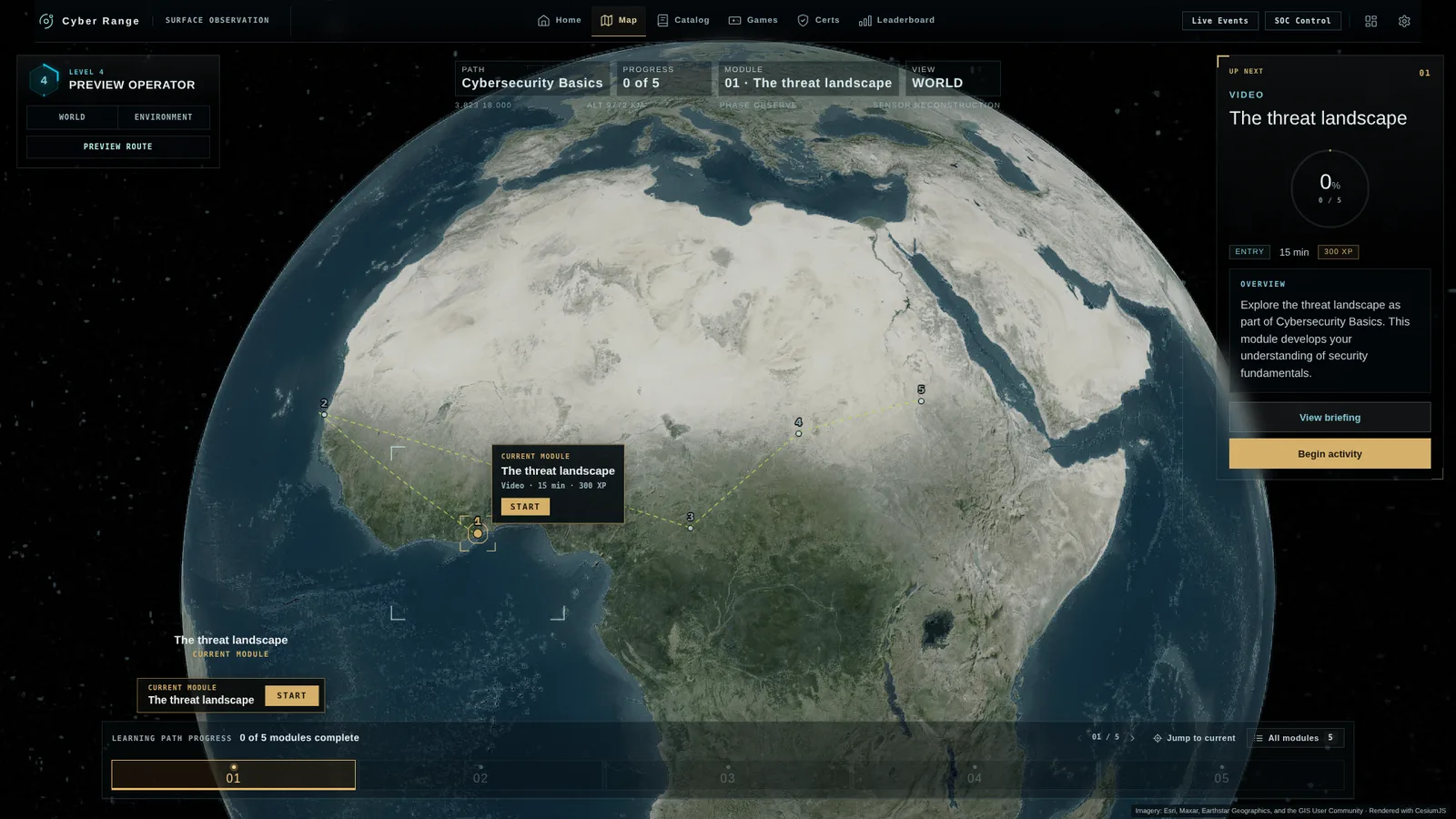
Loading the animated globe…
Globe direction: the learning path lives on the map, with the next module always one click away. Explore the spinning globe, select a module, and zoom into its location.
INTERFACE TOOLING
Playable practice and Unreal tooling you can explore yourself.
Our UMG plugin for predictable keyboard and controller focus. The same problem shows up in dense training desktops: focus lost behind a popup, a panel that scrolls the wrong widget out of view.
View on FabPLAYABLE MINIGAME
Protect the network while keeping essential services available.
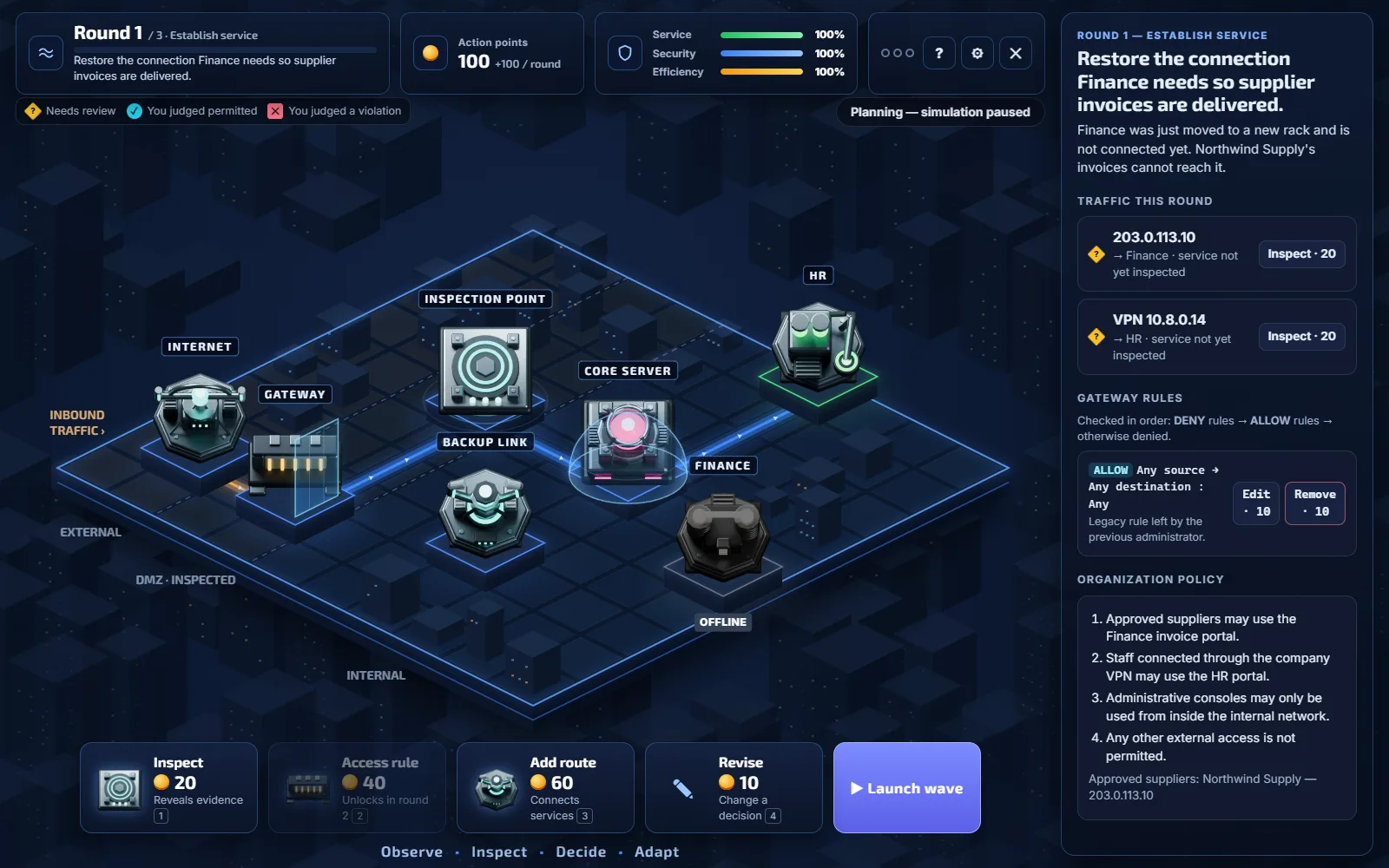 ACTUAL GAMEPLAY
 Finance is offline. Traffic is coming in. Can you restore the connection without letting a threat through?
3 rounds · No sign-up · Play in your browserInspect traffic to uncover evidence. You decide what belongs on the network.
Loading the game…
CLICK-THROUGH PROTOTYPES
Working HTML prototypes with sample content. Click the buttons inside the frame to move through each flow.
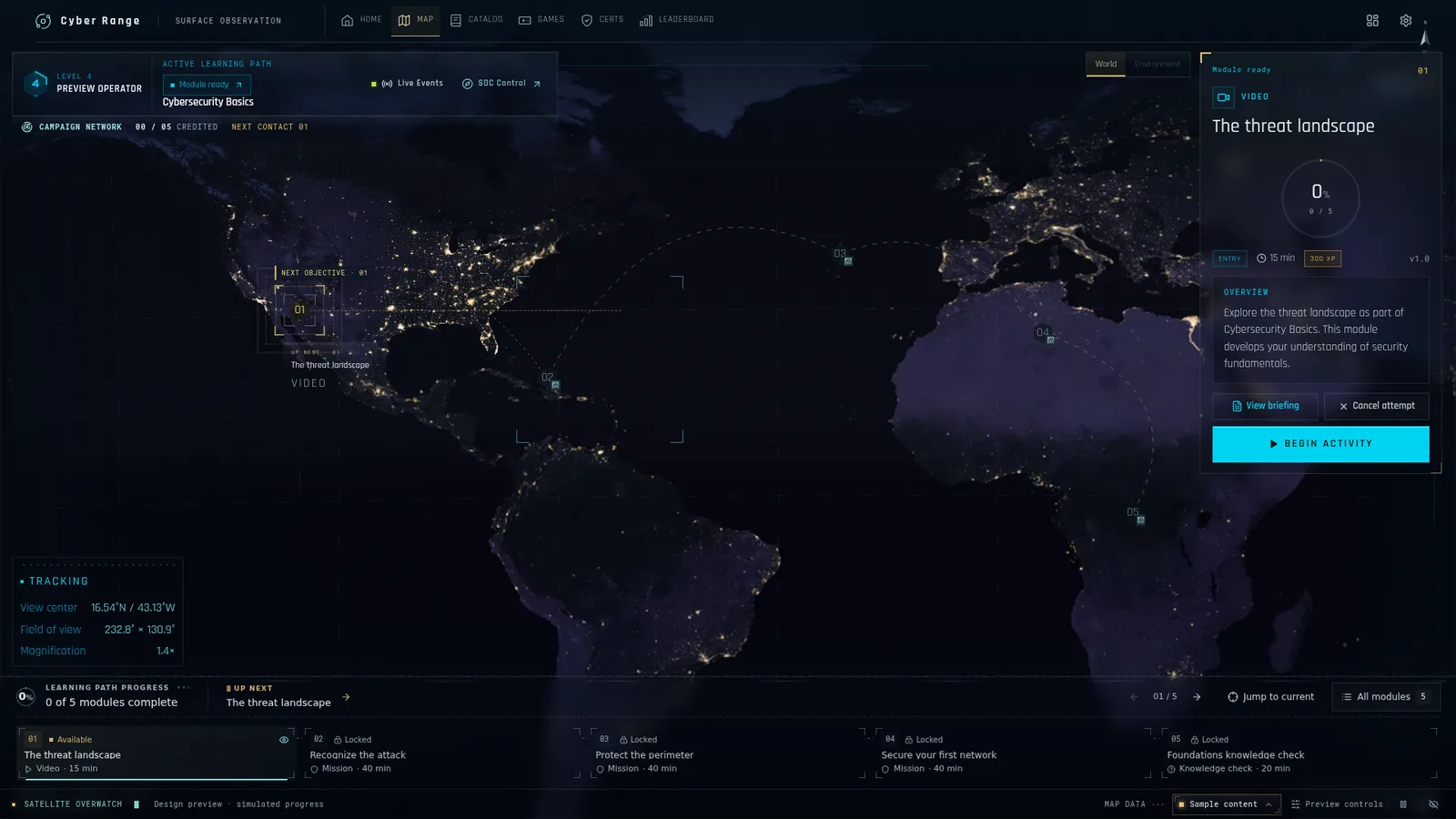
Loading World map…
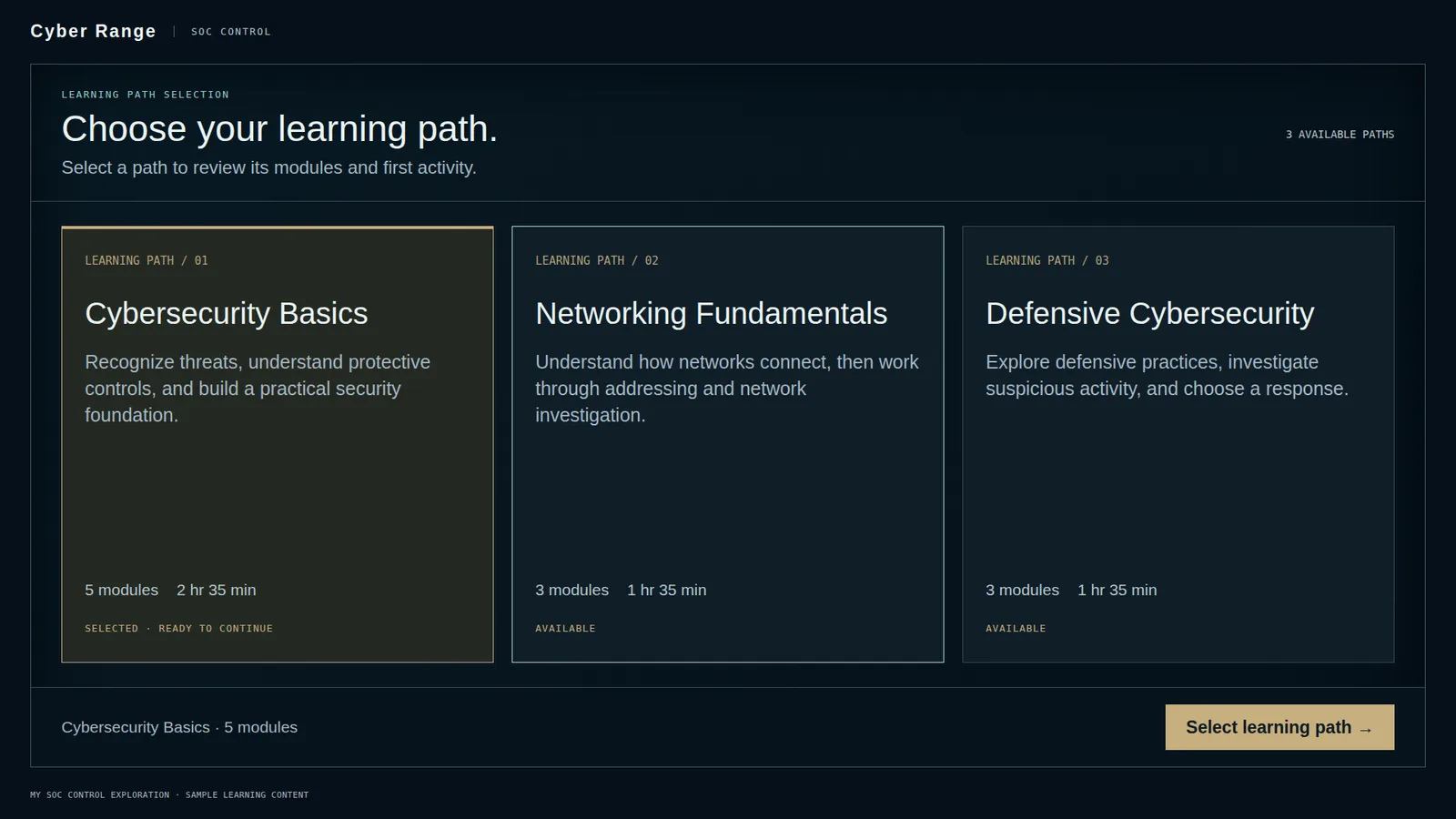
Loading SOC direct…
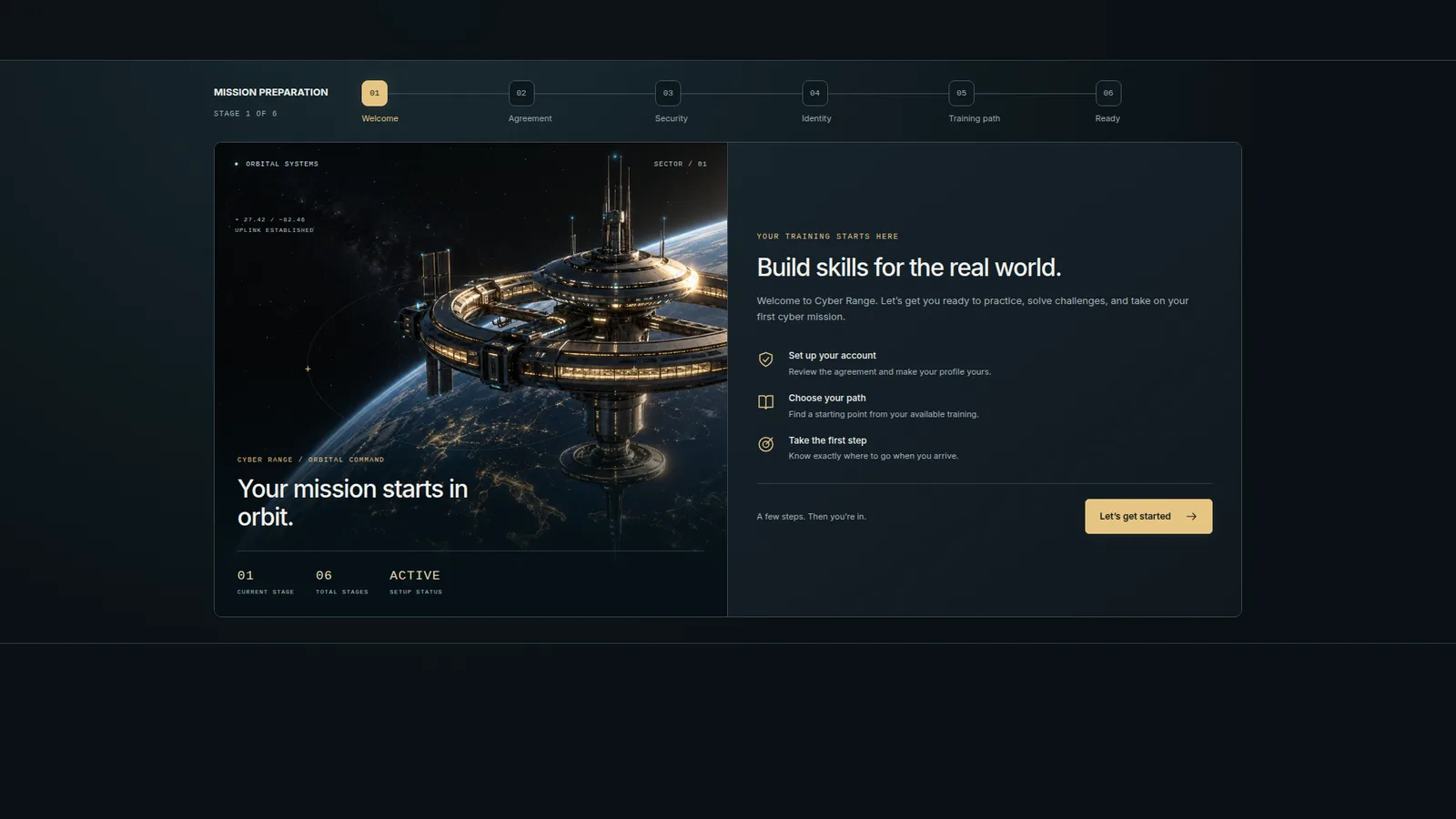
Loading Onboarding…
CAPABILITY
Training platforms serve two people at once: the trainee working through a hard problem, and the instructor keeping a whole cohort moving. Our design approach keeps both in control, from the first screen to the next decision.
LET’S TALK
Tell us about your learners, platform, and the experience you want to improve. We can discuss interface design, interactive prototyping, or a playable training exercise for your project.